Digital Garden
A digital garden is a kind of personal website. Unlike a blog, which collects "proper" articles in a chronologically ordered index, a digital garden is a network of pages of various sizes, containing simple ideas, descriptions and history of personal projects, documentation on software and much more, which link to each other organically.
I find a digital garden is most fun to explore when its links and pages are almost maze like.
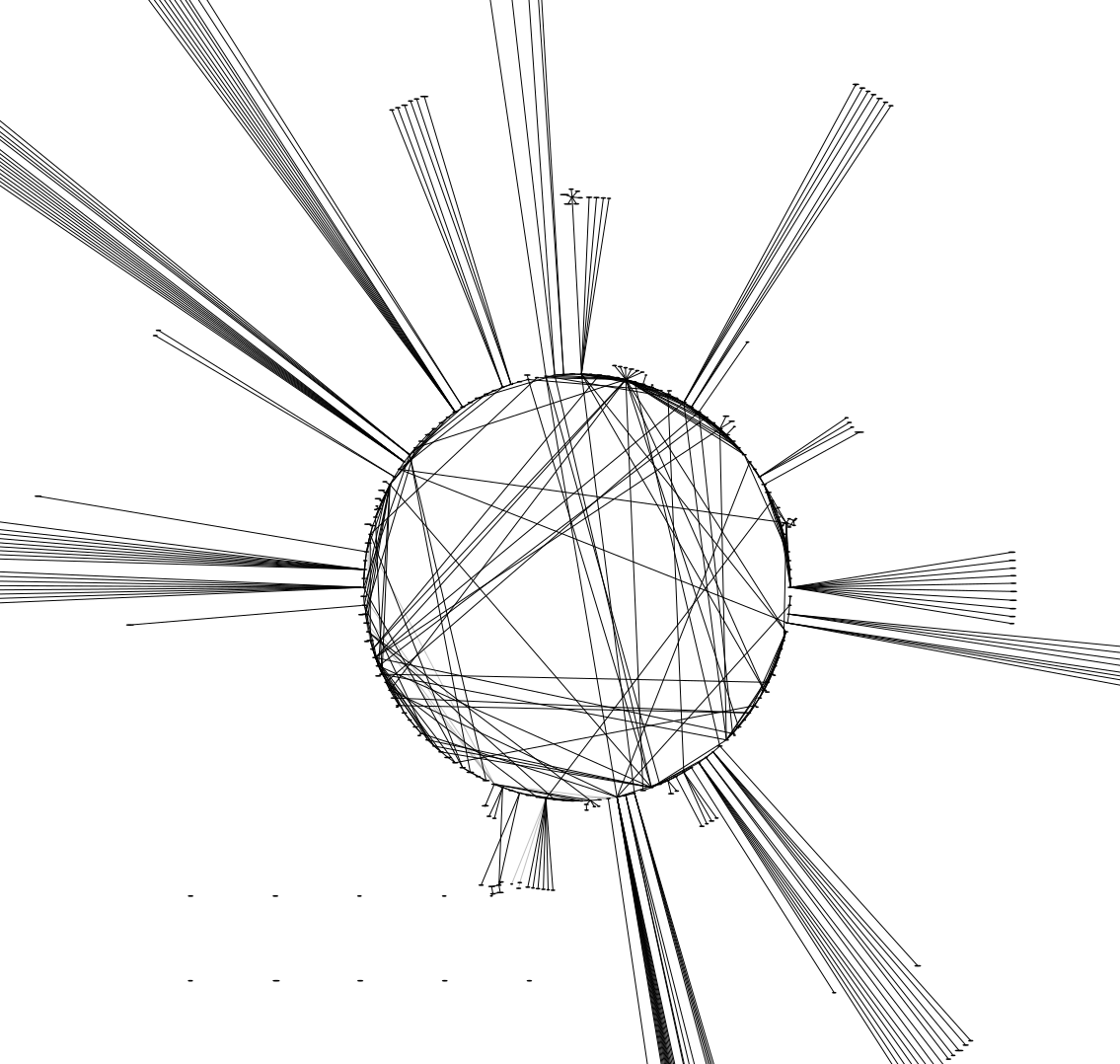
A lot of people seem to use their digital garden as a notebook and wiki of sorts. I already have an agenda.org file which keeps my life organized and which collects important information, a lot of which I don't wish to share publically. So I use mine "just" to share some thoughts on various things.
My website used to be a blog. I rarely had the motivation to write a "proper" article, yet I still had a bunch of thoughts and ideas I wanted to write about that were too long for a mastodon toot. So I decided to start a garden. In the same move I've also decided to get rid of my previous sites excessive ordering and sorting; I now dump everything in one directory 🐈⬛
Look and Feel
I played around a lot with the CSS until I was happy with the design. At first I had a minimalistic "modern" theme, the likes of which you have likely seen infinite amount of times. I was never quite satisfied with that, so instead I have now tried to make these pages look like an old book. That means indented paragraphs, serif text, less wide maximum page size, etc..
I like this new design a lot. At least to me it is easier on the eyes; reading my writings is now a lot more pleasant. I also think it is orders of magnitude more charming and matches my personality and character more closely. It feels more human, which in this current age is important.
The paragraph indentation also helps me improve my writing: I have the tendency to to write short, one sentence paragraphs. I do not like reading that very much, but it just happens when writing. These tiny paragraphs look pretty bad indented, which somehow manifested a strong reminder in my mind to avoid them.
I also quite like how external links and internal links are distinct. I think that is pretty important for a website like this, which consists of many interlinked subpages.
Behind the scenes
My garden uses emacs org-mode, which can automatically export to
various formats, including HTML. I have however written a custom HTML
export backend, since the default one doesn't really do semantic HTML
and litters <div>'s everywhere.
I am somewhat concerned about emacs falling to slop in the future. As such I have restricted myself to a limited subset of org, which I know I could realistically re-implement in C over a weekend if I need to.
I've also dropped some other features my previous sites layout had, like fancy info boxen and more complex arrangements of texts and images which would often appear next to each other. I like that visual style a lot, however it also meant having layouting directives in the source files rather than just semantic markup, and reader mode in various webbrowsers didn't like it (from which I conclude that it likely also didn't work well with screen readers).
I've also added "autolinks". In every page source file I can set up certain keywords. These words, when found on other sites, will be turned into links leading to that site.
#+title: My fancy page!
#+autolink: fancy
#+autolink: page

Hello!
Pretty neat, I think!
Future Plans?
Some things still need to be done:
Autolinks are currently limited to what emacs considers a word. Either replace the implementation with something smarter, or change word boundaries in the compilation script to not consider hyphens as word separators.
A "random page" putton might be neat.
A graph of how all pages connect?
The compilation script might need a warning for sites which are not linked to from anywhere...
Add page for book reviews, link from "reading" on index.org
Add page for media reviews
Display date of article, if given
Automatic index pages?
Add a way to declare an article as an index page for a topic
Add a way to declare an article as belonging to a topic
Or maybe even multiple topics
Automatically put a box at the end of index pages with links to all pages of the topic